 Download
imechanicr
0.5.6 May 5, 2026- 8.6
- 1
- 2
- 3
- 4
- 5


Enjoy millions of the latest Android Apps, games, music, movies, TV, books, magazines & more. Anytime, Anywhere, Across Your Devices.
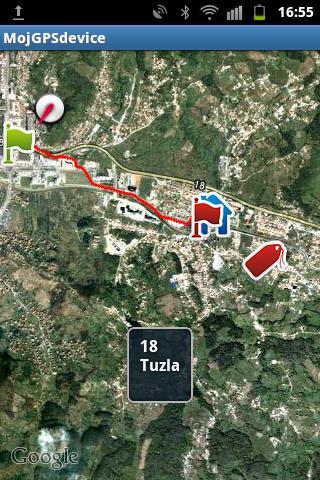
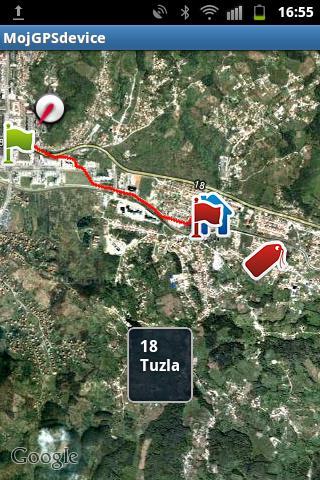
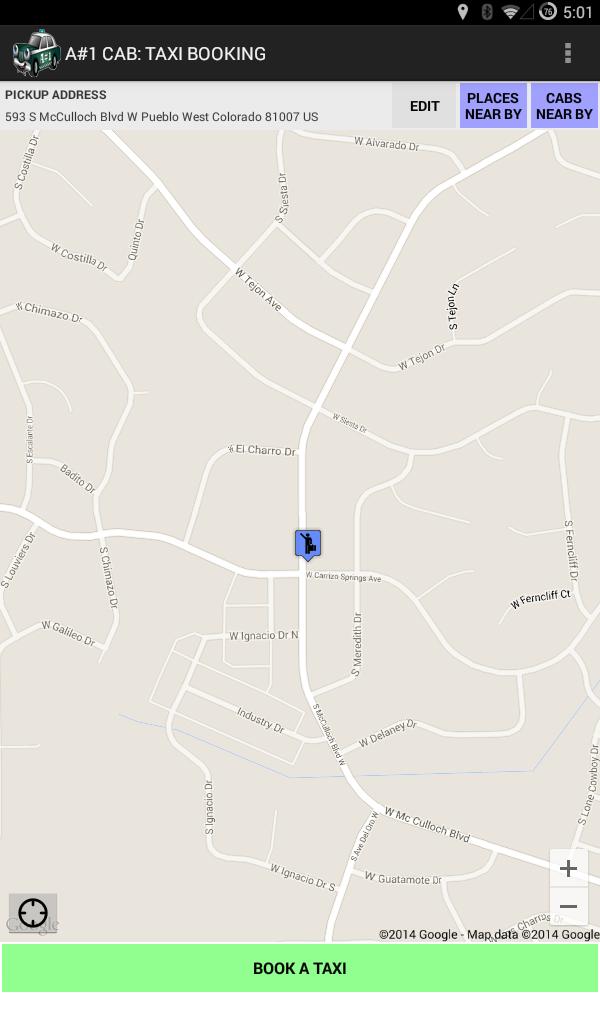
- The application is designed to allow the user to easily orter in space and provide a display of current position and traveled path. When starting the application if the GPS sensor on the Android device is not activated and automatically redirected to the location where it is provided to include this sensor that must be activated to function properly. Once the GPS sensor is activated to the user, the view of GoogleMaps service is provided in such a way that the view is focused on the territory of Bosnia and Herzegovina. At the same time, a marker is drawn on the map showing the current or last recorded location of your mobile device, so if e.g. At a given moment, you do not have access to the GPS signal, the marker will display your position in the previous use of the application. This is made for the reason that if the user is lost or no access to the GPS signal will then be information about your last location on which the GPS satellite is receiving. It is important to emphasize that it is necessary for the operation of the ' MojGPSdevice ' application necessary to allow GoogleMaps service to be able to view a folder forming the basis of the display.
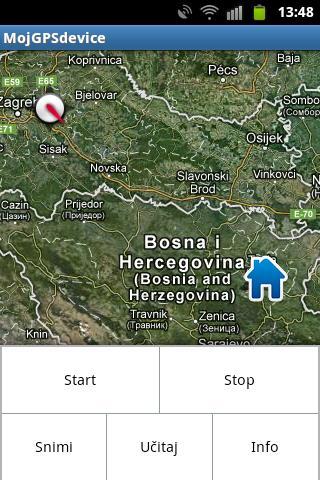
- After the user presented to GoogleMaps display, at the first retrieved next location on the map, the marker indicates the current location on which the Android device is located. If the user decides to start recording your movement then enough pressure on the menu button provides the user's user menu. Inside menu offered options:
• Start (starting to draw the path)
• Stop (stopping the paths)
• Record (save the path to SD card)
• Load (Upload previously saved tracks from the card)
• Info (about application)
- Pressing the Start user allows you to draw and recording your current path. This plotting lasts until the press option on the stop option within the menu when the path recording stops. If the user wants to record this path then it is necessary to select the option to record the interface that guides it through the process of saving the path to the SD card for re-loading or saving in GPX format. If the user wants to load a recorded trajectory then it is necessary to select the option to load and select one of the offered paths from the list of recorded paths.
- It is not possible to emphasize that when shooting the first path, after installing MOGPS Device, the SD card creates a folder of MojGPSdevice within which the saved paths in the .txt format. The contents of this trajectory can be viewed using any .txt editor but their content is impossible to change because the application when shooting files makes them protected, ie. Read-Only files. At the same time, if the user saves one of the GPX format then, MojGPSdevice GPX folder is created within which there are all the saved files that can be transferred to the computer and then enter the OpenSreetMaps (OSM) service. The content of these files is also protected and it is impossible to change it later. Otherwise, it is necessary to emphasize that the option is offered to save the option in GPX format, but that the user does not want to do this from all one click path can be recorded in the basic format without shooting its GPX format.
- The correspondent is an additional option that by pressing longer than 2 seconds to the touch screen, there is access to additional capabilities. So if the user keeps the screen pressed for more than 2 seconds then the optional menu with options is displayed:
• Download the address (for the coordinate on which the touch of the address is made)
• Set the label (if the user wants to currently mark a location of special interest with a separate marker)
• View (by default, Satellite view is placed while pressing this key is possible to switch to STREET VIEW





 Action-adventure
 Simulation Business
 Role Playing
 Sports Competition
 Casual Intelligence
 Card Strategy
 Music Rhythm
 Text Puzzle
 Flying Shooting
 Love Development
 Business Office
 Newsletter Social
 Life Entertainment
 Online Shopping
 Practical Tools
 Travel
 Financial Management
 Educational Learning
 Information Reading
 Sports and Health