 Download
Age Calculatorr
2.1.15 May 5, 2026- 8
- 1
- 2
- 3
- 4
- 5


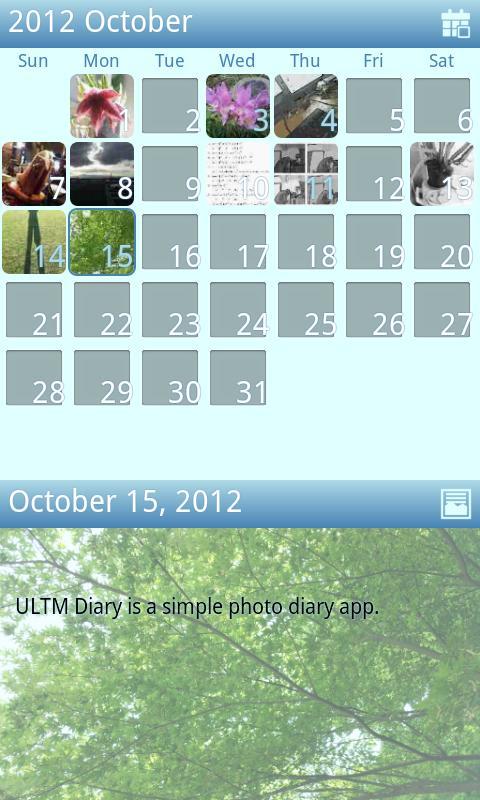
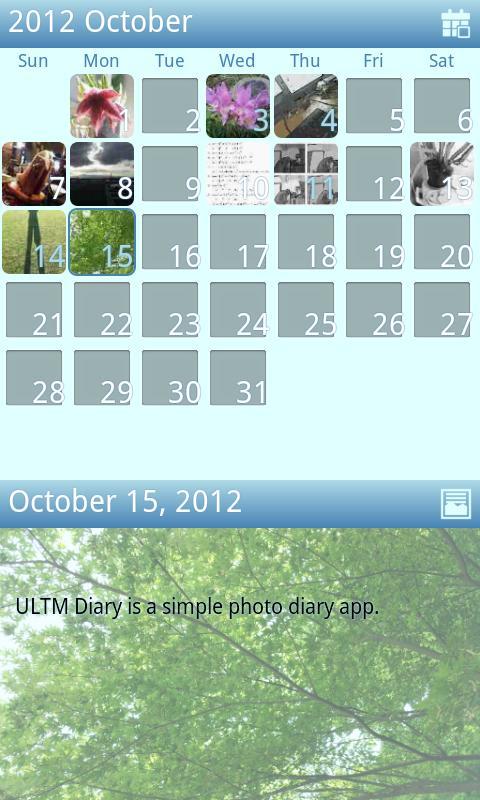
ULTM Diary is a simple photo diary app.
-
Do you have lots of photos on your smartphone that you’re doing nothing with? ULTM Diary can help.
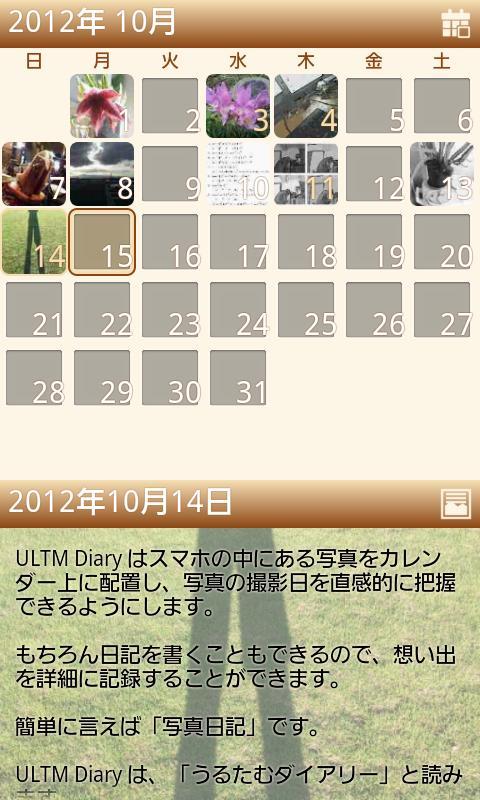
ULTM Diary can automatically display photos taken on your smartphone in a calendar so that you can see when the photos were taken. You can also use the app to create a photo diary - in fact, that’s really the main function of this application. Keep a record of your favourite memories in the calendar along with the photos to match.
ULTM Diary is pronounced “U-RU-TA-MU Diary”.
*This application saves data onto SD Memory, meaning SD cards or internal SD memory will be required.
Main Feature
ULTM Dairy is a simple application
This application focuses on the essentials. It is a very simple application designed to be easy to use.
Displays thumbnails correctly
ULTM Diary reads Exif info in the photo, it displays thumbnails on the correct date in the correct orientation.
*If the photos do not have Exif info, photos will be displayed according to the date when added to the app, and in their original orientation.
Lock diary with password
If you want to keep your diary and photos to yourself, you can lock the diary with a password.
How to use
Edit Diary
Long tap on the date you want to edit.
Moving between months
Swipe the calendar left or right to change month
Selecting and moving between days
Tap on a date on the calendar to select. Swipe left or right to move between days. Days with no diary entry or photo will be skipped.
Tap on the icon on the right side of the calendar view to go back to the current date.
Changing display mode
Swipe up and down to switch between calendar mode and diary mode. Tap diary view to switch to calendar.
In diary view you can tap on the icon on the right side to go to “Photo Mode”, “Text Mode” or “Photo and text mode”. “Photo and text mode” is the default, with photos in this mode made a little darker in order to make text easy to read. “Photo mode” shows pictures at normal brightness.
In diary mode, gallery thumbnails are displayed at the bottom of the screen. Tap on a thumbnail to set as background photo.
Viewing photos in other applications
Double tap on a photo in diary view to see photos in a different application.
Marking favourite shots
All photos uploaded to the app will initially be shown in black & white. Tap the check box while editing the photo to specify the best shot of the day. After doing this, the photo will be shown in color.
You can choose the best shot from photos saved in the smartphone or photos that you’ve just taken.
Feedback
I would appreciate any feedback, both negative and positive.
Of course there is much more I could add to this app, but I would like to keep it as simple as possible. I do want to add some more features, but only a few - and that I think will be enough. But if I get a lot of feedback suggesting many more features, then I might make an entirely new version. I hope you will like this application.
Cautions
It might take some time to launch this application the first time you use it as it has to scan all photos and arrange them in the calendar. The app should open quickly from the second time of use as it will only have to scan newly saved photos.
The photos automatically scanned and displayed in the calendar are in black & white. After choosing your best shot by tapping it the picture will change to a color thumbnail.
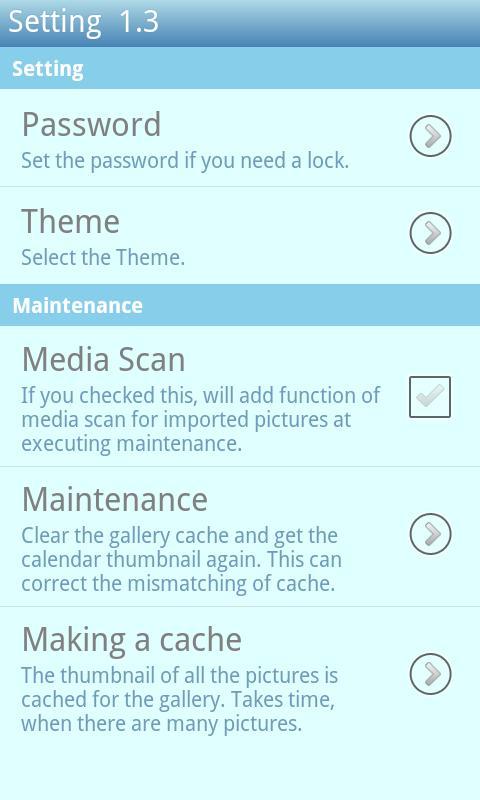
If you forget your password, you can uninstall and reinstall the application. Then it will start as non-password locked. Uninstall does not delete photos or thumbnail data.
Authorizations used by this application
WRITE_EXTERNAL_STORAGE
Used to save thumbnail data for diary and photos
VIBRATE
Used for action feedback such as icon tap
INTERNET/ACCESS_NETWORK_STATE
Google advertisement display uses this. This is not used for any other purpose
1. Added the animation option when switching between photo.
2. Removed the ads on the diary editing screen.












 Action-adventure
 Simulation Business
 Role Playing
 Sports Competition
 Casual Intelligence
 Card Strategy
 Music Rhythm
 Text Puzzle
 Flying Shooting
 Love Development
 Business Office
 Newsletter Social
 Life Entertainment
 Online Shopping
 Practical Tools
 Travel
 Financial Management
 Educational Learning
 Information Reading
 Sports and Health